


What IqraWise takes off your hands.
No more loose lists, chat groups and voice messages that can no longer be found a week later.
One lesson day, in six steps.
From the teacher in the classroom to the parent at home and the administration in the office.
-
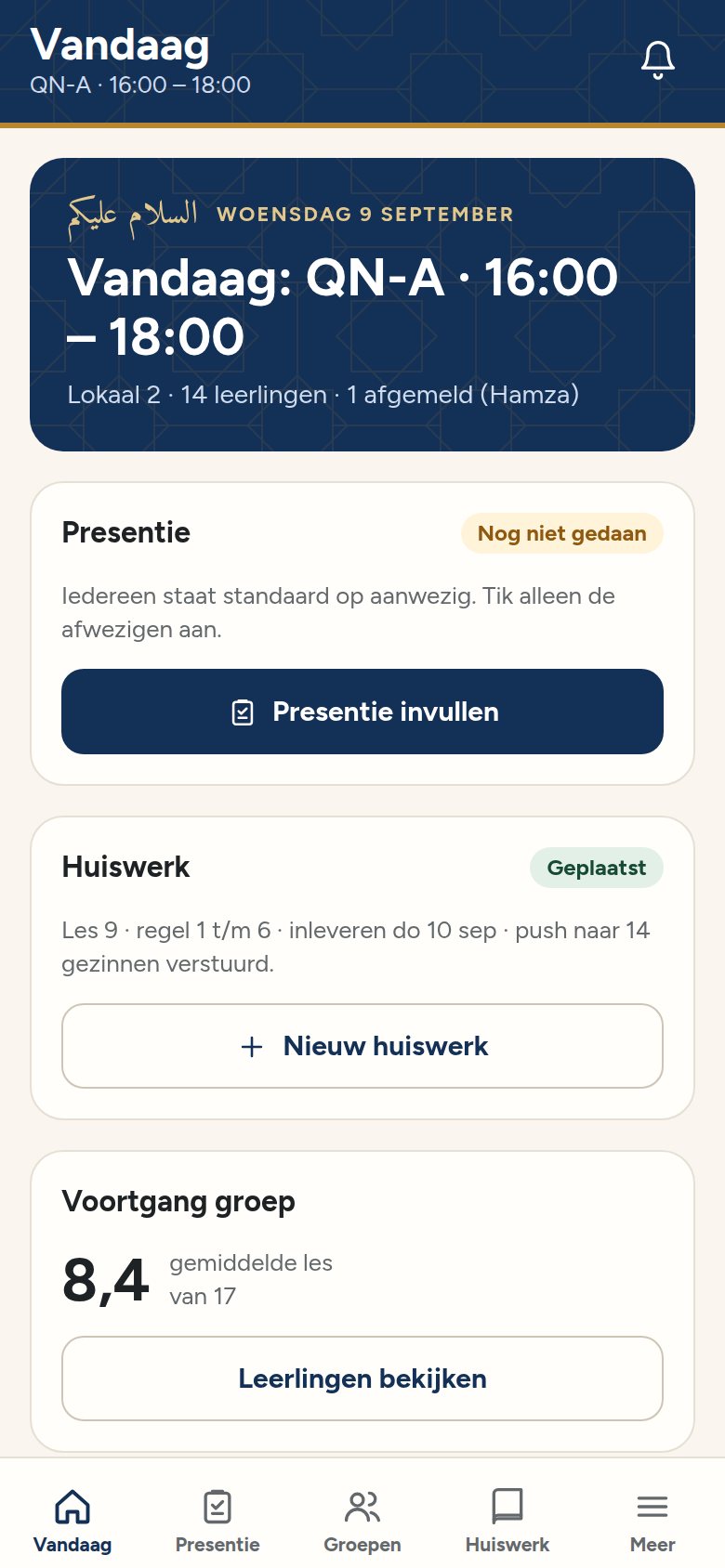
Before the lesson Teacher
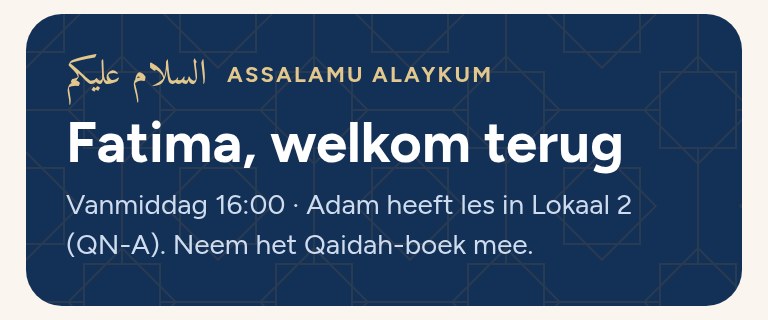
The teacher sees the day ahead.
Which group has a lesson, in which room, and who has reported absent.
-
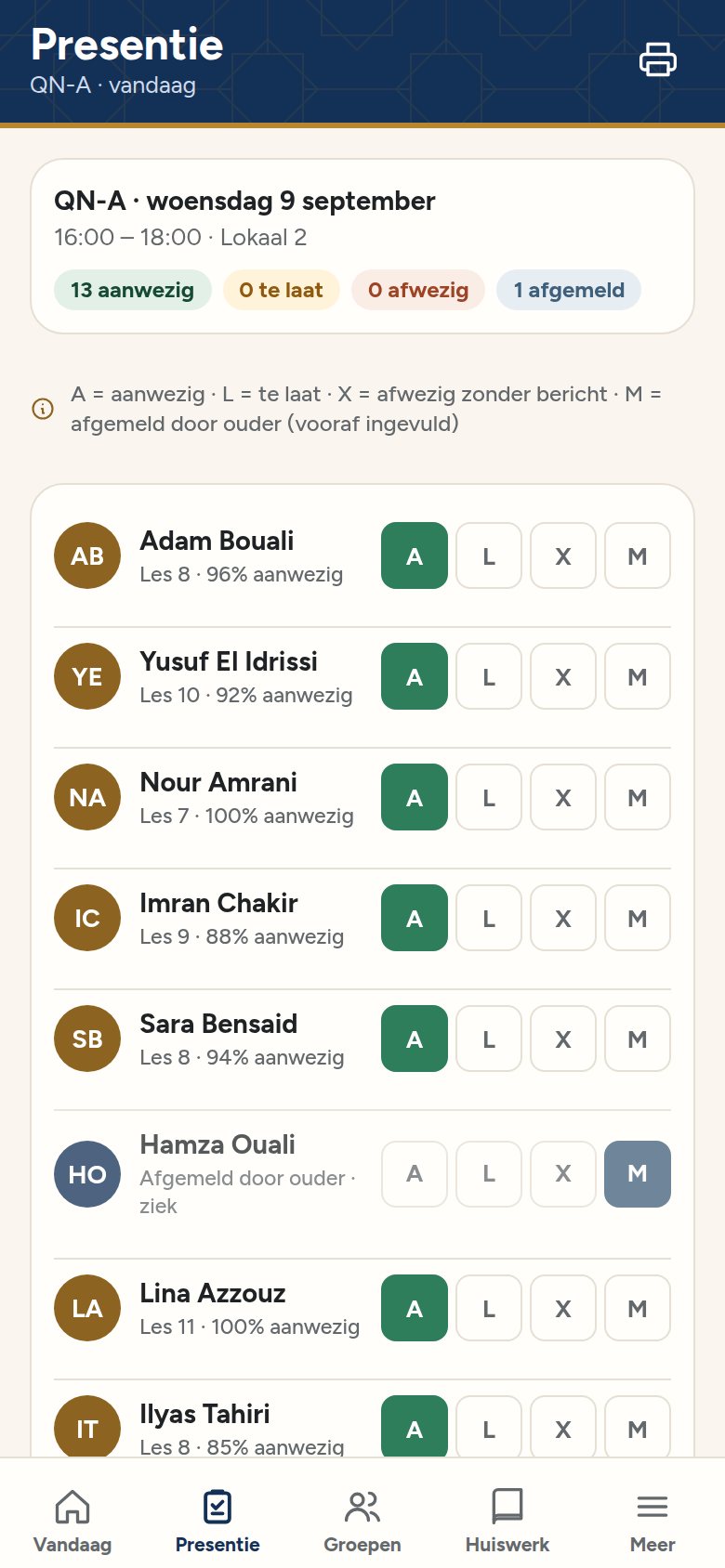
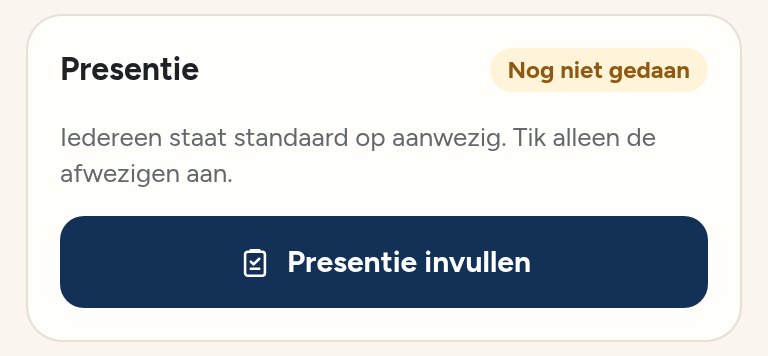
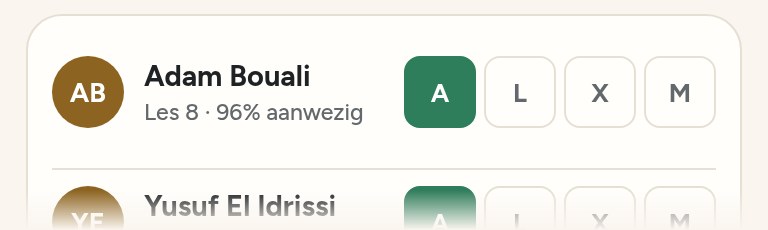
During the lesson Teacher
Attendance with one tap.
Present, late, absent or excused. Also works without Wi-Fi.
-
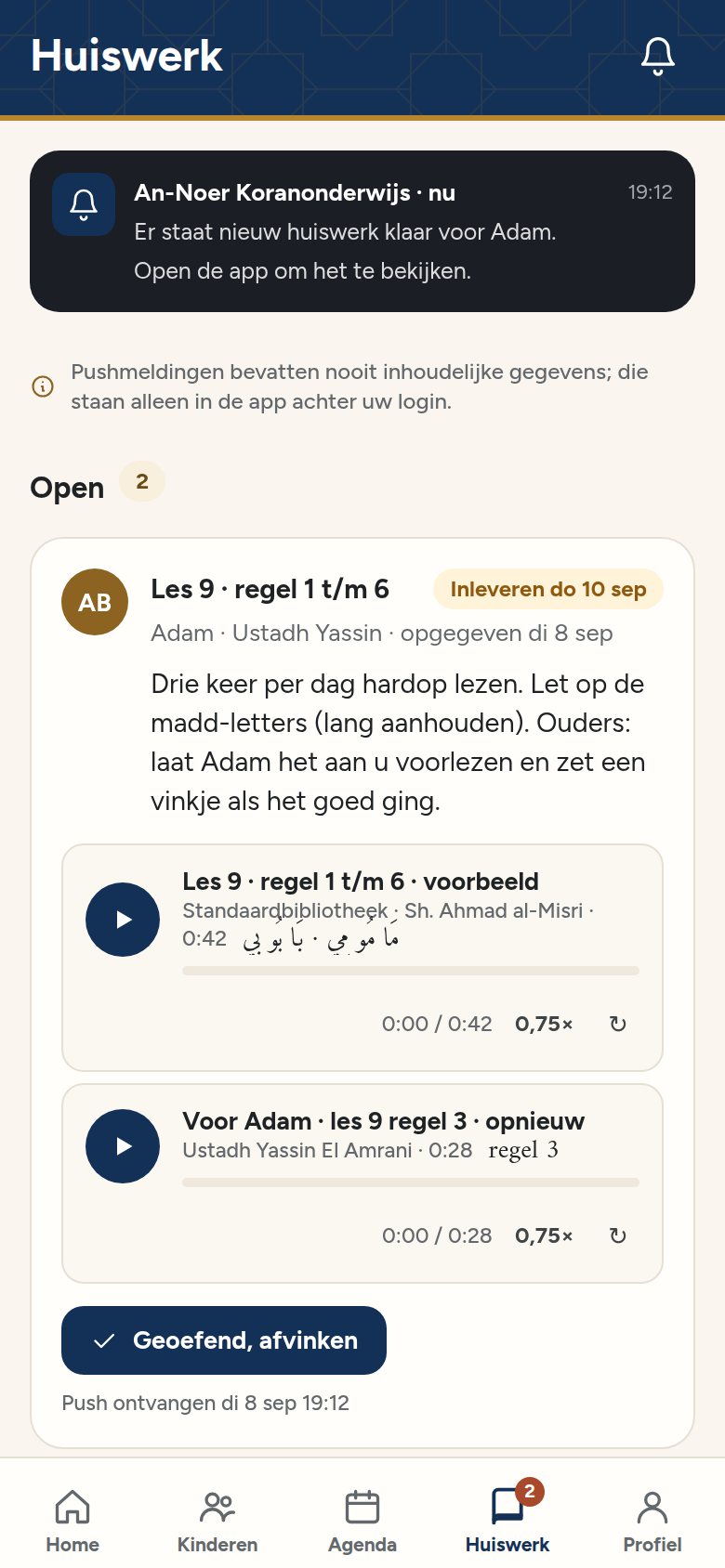
After the lesson Parent
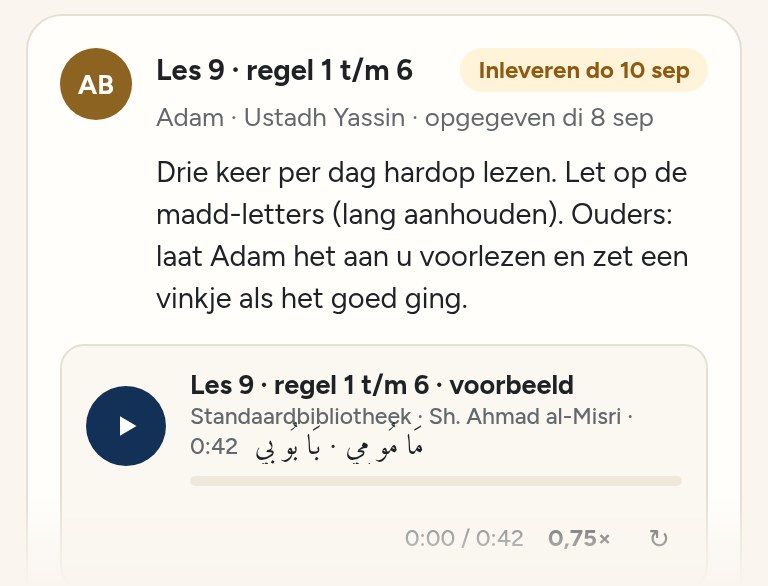
Homework in the teacher's voice.
The teacher sets the task with their own recording. The parent reads the explanation in Dutch and can play it back more slowly.
-
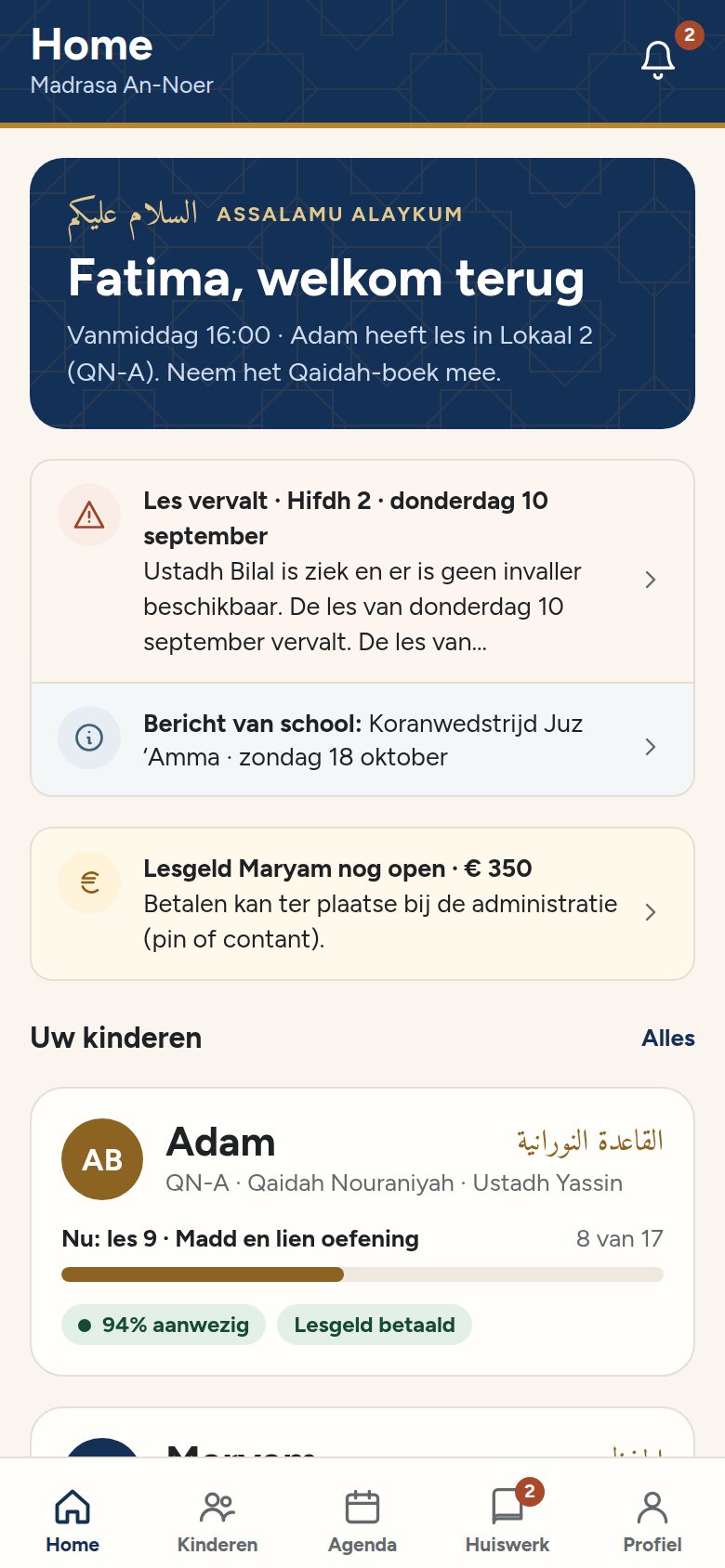
At home Parent
The parent knows what's on today.
Which lesson, what time and what to practise at home, on one screen.
-
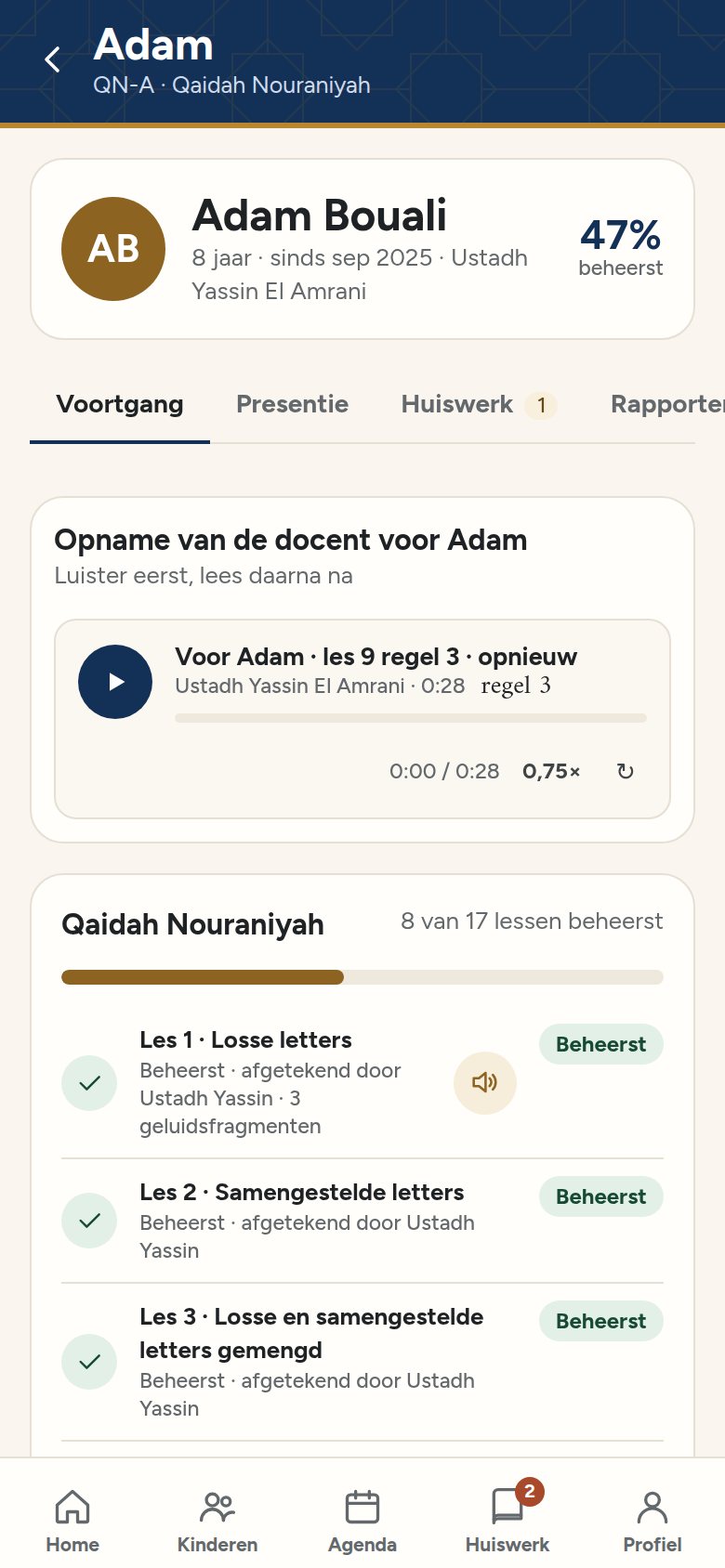
Week after week Parent
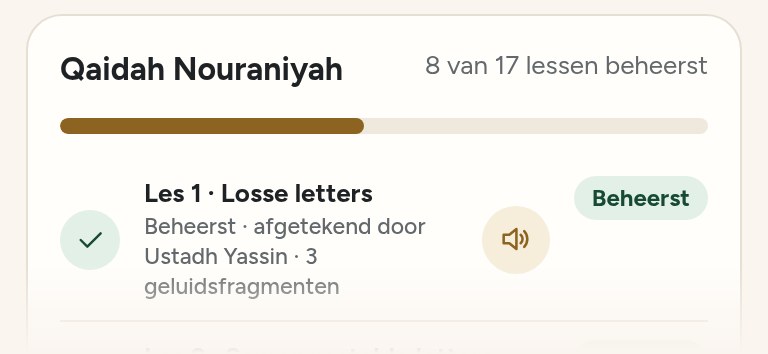
Progress, lesson by lesson.
Which lessons have been mastered, what the child is working on now, and the teacher's report.
-
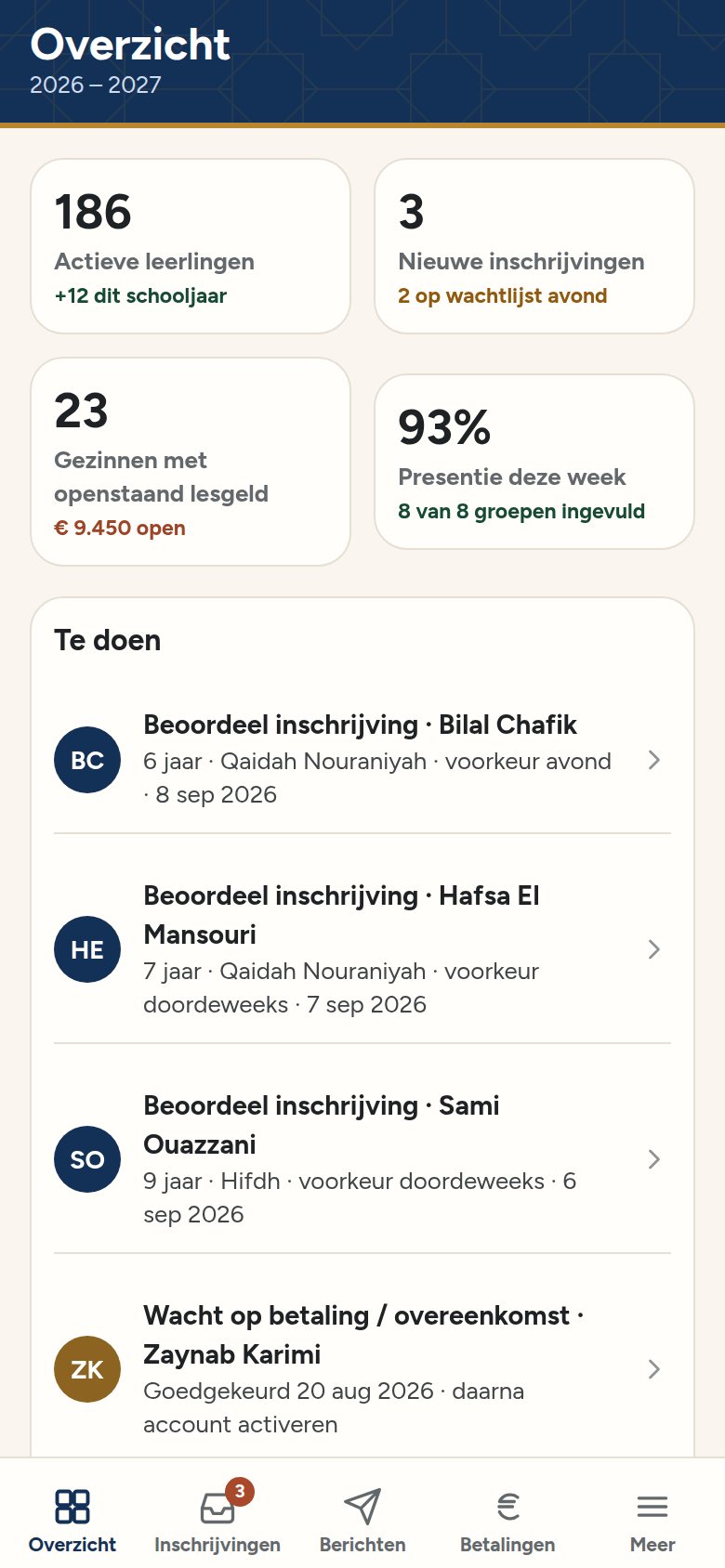
In the office Admin
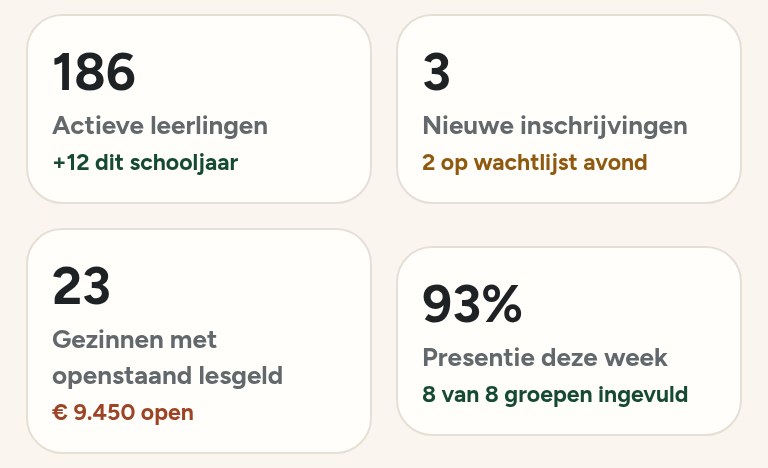
The school keeps the overview.
Pupils, fees and attendance at a glance, and everything can be exported to Excel.
The screens are from the app, in its Dutch version. Names and figures are fictitious.
Your data.
Price on request.
What you pay depends on the number of pupils and the number of locations. You receive a tailored quote.
Questions.
Is your question not listed? Put it in the form or email omar@agentivestudio.nl.
Which schools is IqraWise for?
For any school that teaches the Qur'an or Arabic, on weekdays or at weekends.
Who manages the app?
The school itself. School management sets up groups, lesson days and courses and manages the roles; the administration does the day-to-day work. We help you get started.
Do parents need a smartphone?
No. It also works in the browser on a computer, and important messages are sent by email.
Does it work without Wi-Fi?
The attendance list also works without Wi-Fi and syncs automatically as soon as there is a connection again. Homework, progress and messages need an internet connection.
Where is the data stored?
In a database in Frankfurt, within the EU. Only your school sees pupil data. Emails from the app are sent through an email provider that also processes data in the US, with appropriate safeguards; an email never contains the content of a message.
Which languages does the app support?
The whole app is available in Dutch, English, Arabic and Turkish, for parents, teachers, the administration and school management; everyone chooses for themselves. Anything the school writes itself, such as messages and courses, stays in the school's language.
Do all groups have to switch at once?
No, we start with one group.
What does it cost?
That depends on the number of pupils and locations. You receive a tailored quote.
Ask your question in the form
See it with your own courses.
Choose a demo: half an hour online or at your school, with the courses you teach. Already decided? Then sign up straight away. We will get in touch within two working days.
- Introduction and, if needed, the demo.
- Intake: the school's details, the number of pupils and who signs.
- Signing in the app: school management signs the data processing agreement and the terms.
- Getting started: we activate the school, usually with a trial period. You invite teachers and parents.
Another question, or prefer to email first? omar@agentivestudio.nl